VDASH Guide
Volvo P3 Remote Engine Start
How to activate engine remote start for Volvo cars with VDASH.
Remote engine start
Overview
Certain P3 Volvo cars can start the engine from the car key, using either a 5-button or 6-button remote, after a change in the vehicle configuration. Supported vehicles and the start procedure are described below.
Supported P3 cars
- The car must have an automatic transmission.
- The car must be model year 2012 or newer. You can check the 10th position of the VIN code for the model year letter, for example YV1BZ83A4C1139596. You can also enter the VIN code into the main search field on the d5t5.com front page to decode it.
- The car must have a supported engine: B4204x, D4204x, B6304T4, B6324Sx, B5254T12, B5254T14, B5204T8, B5204T9, B4164Tx, or B4162Tx.
- All 4-cylinder Volvo VEA engines are supported, both diesel and petrol, typically on MY2014 or newer cars.
- V40 / V40CC are not supported for remote engine start. On these cars, it is only possible to enable remote heater start, if the car is equipped with the required heater.
Preconditions for remote start
- Enough fuel, at least 1/4 of the fuel tank
- Enough coolant and no DTC for the cooling system
- Enough battery level; if the battery is too low, remote start will not work
- Gear selector in P position
- Parking brake applied
- All windows closed
- All doors and bonnet closed
- Car must be locked, stationary, and the engine must be OFF
How to start the engine from the key
- Shortly press the LOCK button on your remote control.
- Immediately press and hold the LAMP button on your remote control for approximately 5 seconds.
- The turn indicators should flash. At the end, they should stay lit for approximately 5 seconds, and then the engine should start.
- If the turn indicators are not flashing, you are probably out of range, the button sequence was not done correctly, or there is another issue.
- If the turn indicators are flashing but the engine does not start, one of the required preconditions is not fulfilled. Check the DIM in the car for more information.
How to enable remote engine start in VDASH
- Unlock the CEM PIN for your car: https://d5t5.com/article/volvo-cem-pin-code
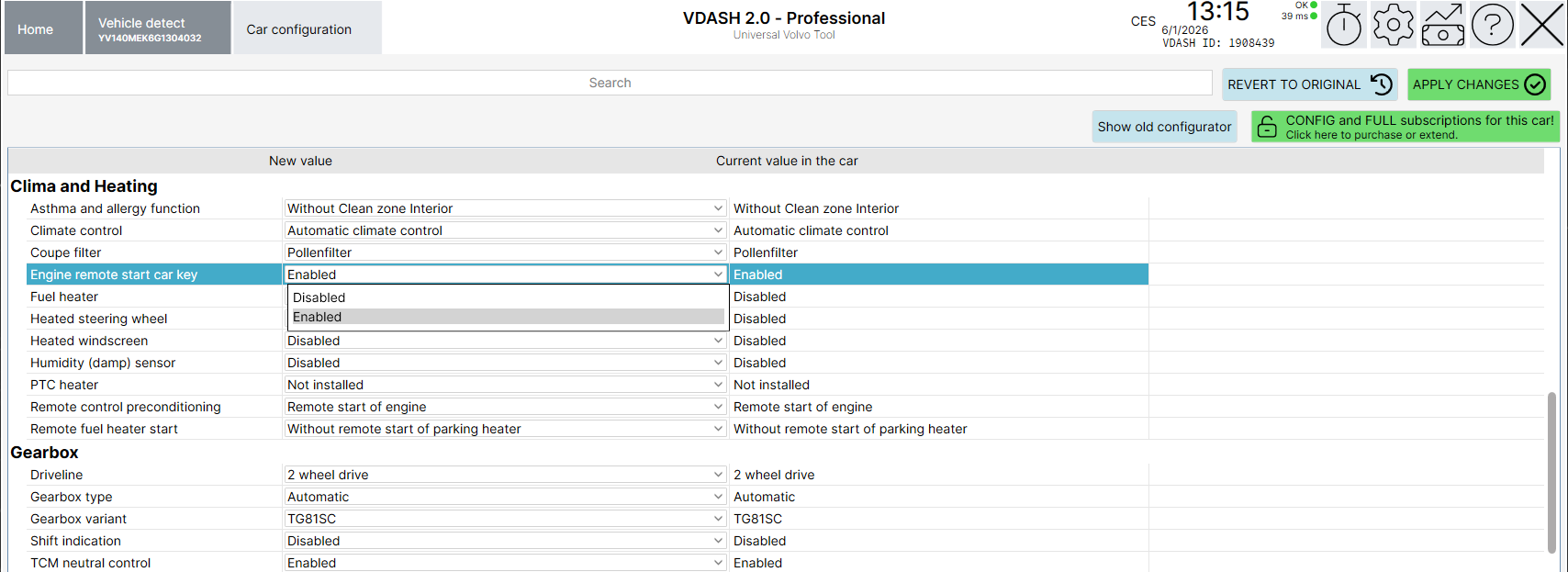
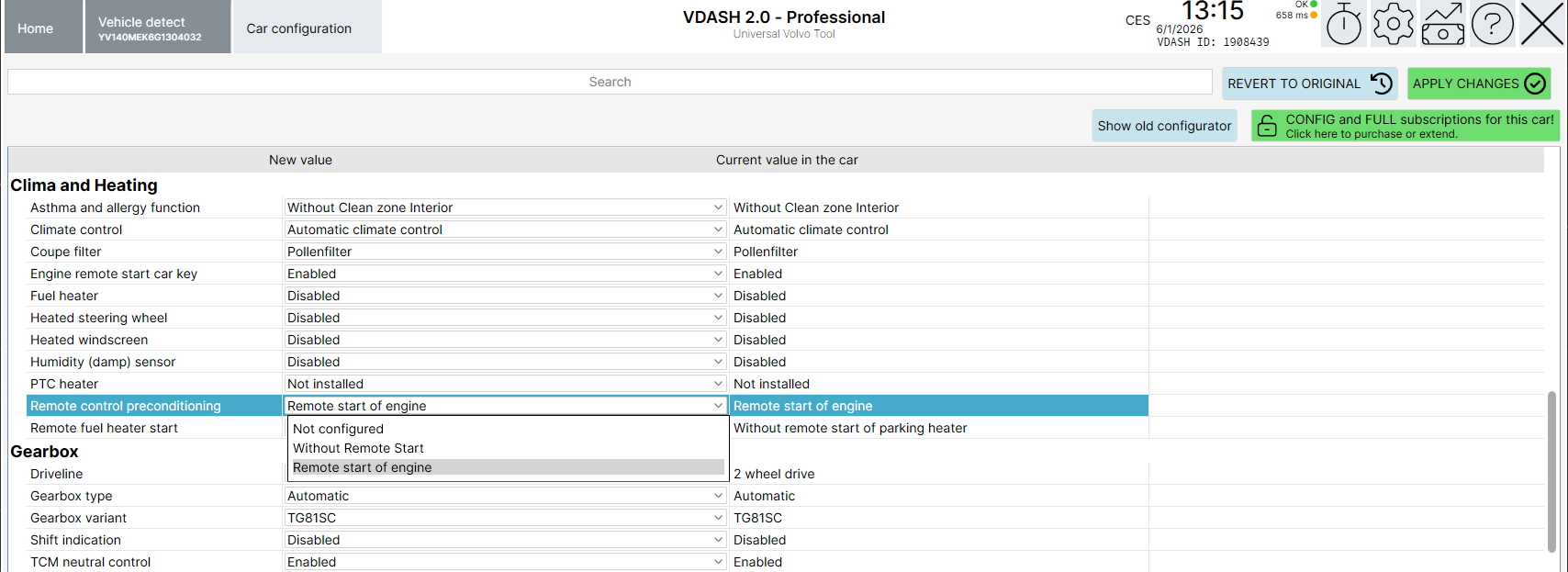
- Go to Car configuration and follow the screenshots below.
- After successfully changing both items, follow this procedure: lock the car for 5 minutes > unlock > start the engine for at least 10 seconds > lock the car again for 5 minutes. After this procedure, remote engine start should work according to the tutorial above.
SPA / CMA cars
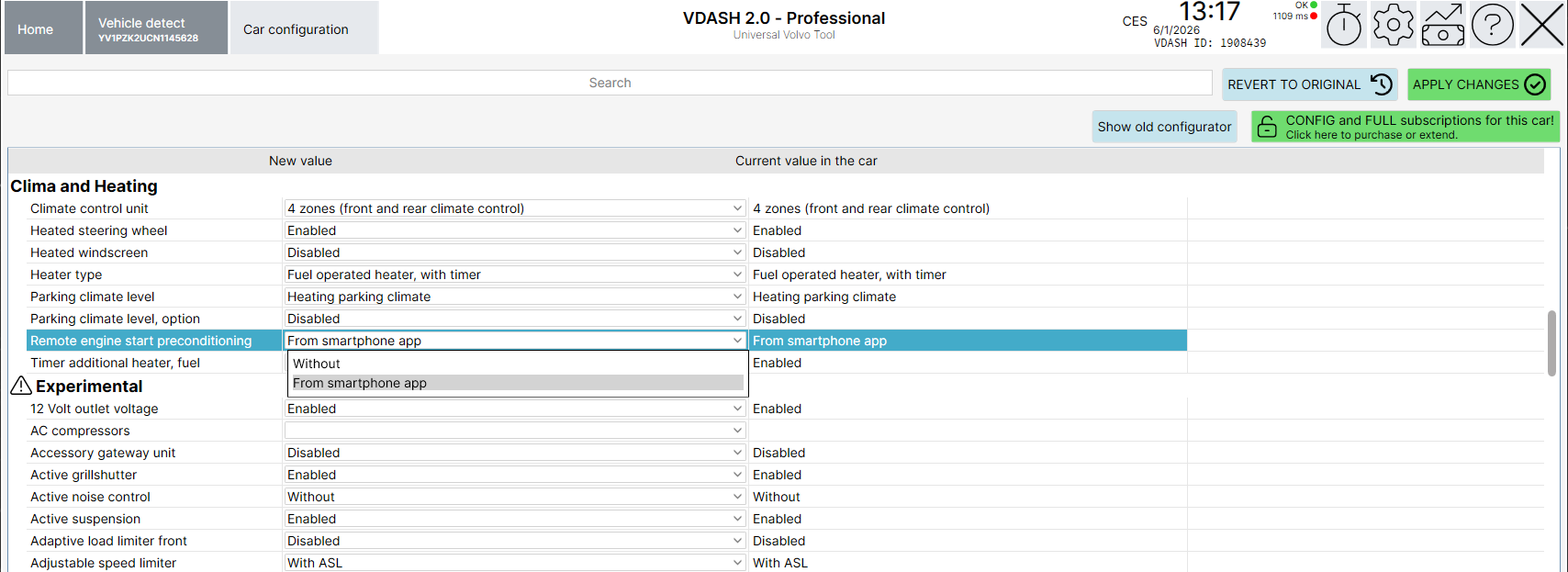
For SPA and CMA cars, the vehicle must be configured under: Clima and Heating > Remote engine start preconditioning > From Smartphone App.