


When Additional FOH Does Not Respond
This guide applies when the Additional FOH, Fuel Operated Heater, does not respond after selecting Turn Additional Heater On in the VDD Mobile App.
In many cases, the cause is either a heater-related fault, a vehicle condition that prevents heater operation, or an incorrect heater configuration that must be corrected in VDASH.
Check DTCs and Vehicle Conditions First
Check Additional Heater DTCs
On the Service page in the VDD App, check all DTCs, Diagnostic Trouble Codes, related to the additional heater. If any DTCs are present, repair the heater issue first and then clear the DTCs.
Other Possible Causes
- SRS-related issues, for example crash-related conditions
- Low fuel level
- Low battery voltage
- Cooling system-related problems
Configure Heater Settings in VDASH
If the problem persists after checking DTCs and vehicle conditions, the Volvo may need to be configured using VDASH. To configure the vehicle heater settings, the CEM PIN must be decoded first.
P2 Platform Configuration
Applies to: V70II, S60, S80, XC70II, XC90.
Additional FOH Setting
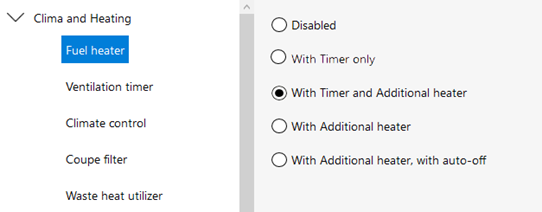
In VDASH, check the settings of Additional FOH. The following option must be checked:
Clima and Heating > Fuel Heater > With Timer and Additional Heater
Parking Regime Time
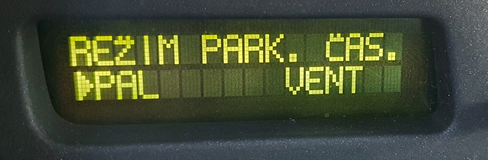
Parking Regime Time should be set to:
PAL
P3 Platform Configuration
Applies to: V40II, V60, V70III, S60II, S80II, XC60, XC70III.
Additional FOH Setting
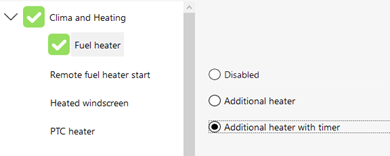
In VDASH, check the settings of Additional FOH. The following option must be checked:
Clima and Heating > Fuel Heater > Additional Heater with Timer
SPA Platform Configuration
Applies to: V60II, V90II, S60III, S90II, XC60II, XC90II.
Additional FOH Setting
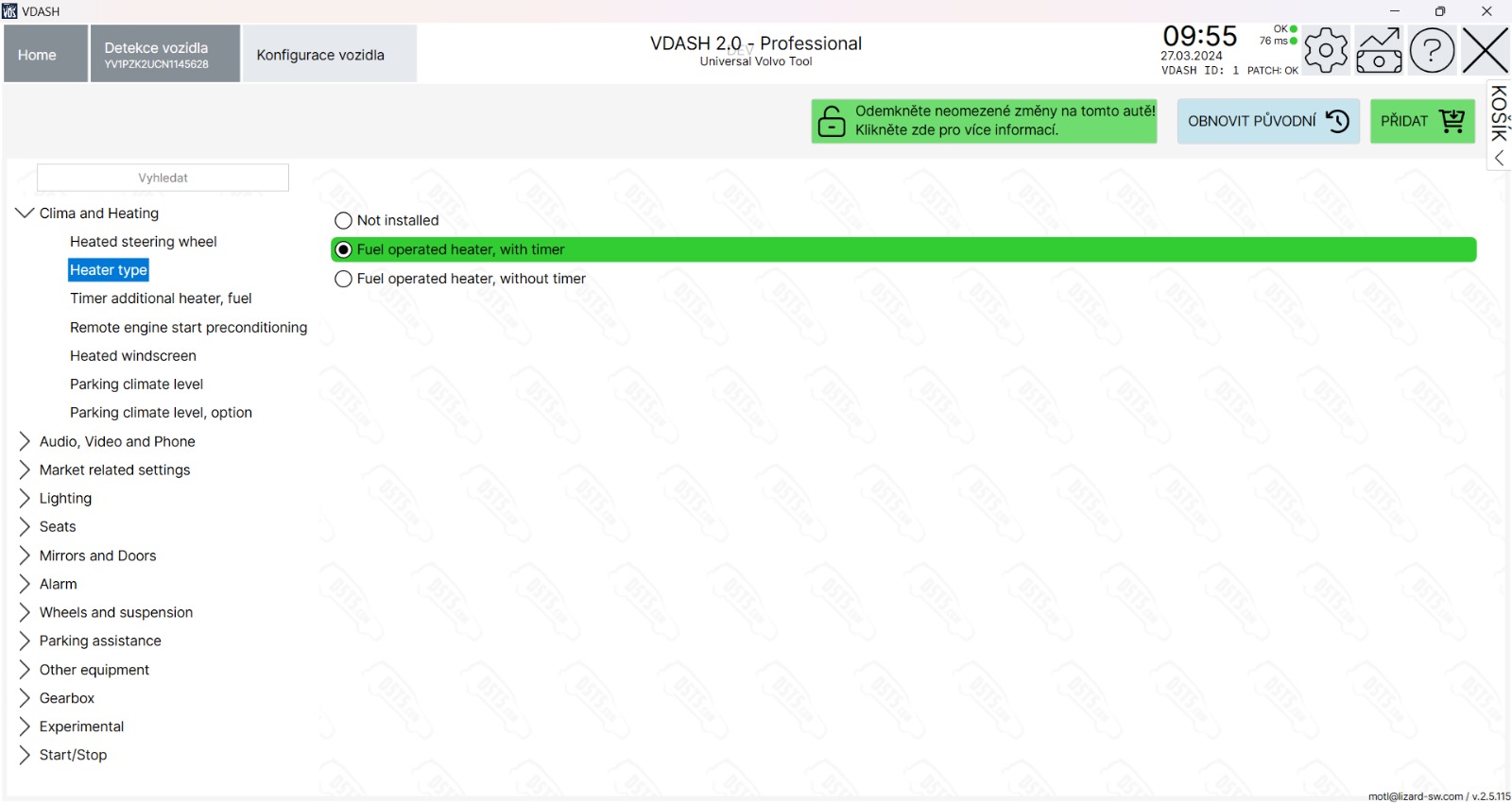
In VDASH, check the settings of Additional FOH. The following option must be checked:
Clima and Heating > Heater Type > Fuel Operated Heater, with Timer
Need Help With Configuration?
Final Takeaway
If the Additional FOH does not respond from the VDD Mobile App, first check heater DTCs and vehicle conditions such as fuel level, battery voltage, SRS status, and cooling system condition. If the heater is still not responding, decode the CEM PIN and confirm the correct heater configuration in VDASH for the vehicle platform.