


VDASH Guide
Volvo Sensus Connect Navigation Activation
How to activate built-in navigation in Volvo vehicles with Sensus Connect using VDASH.
Navigation activation
When navigation can be activated
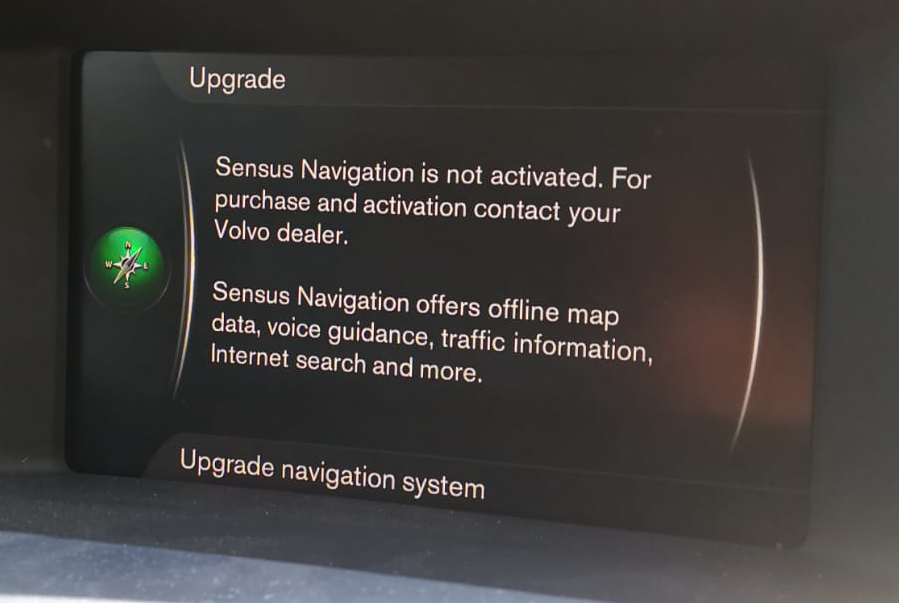
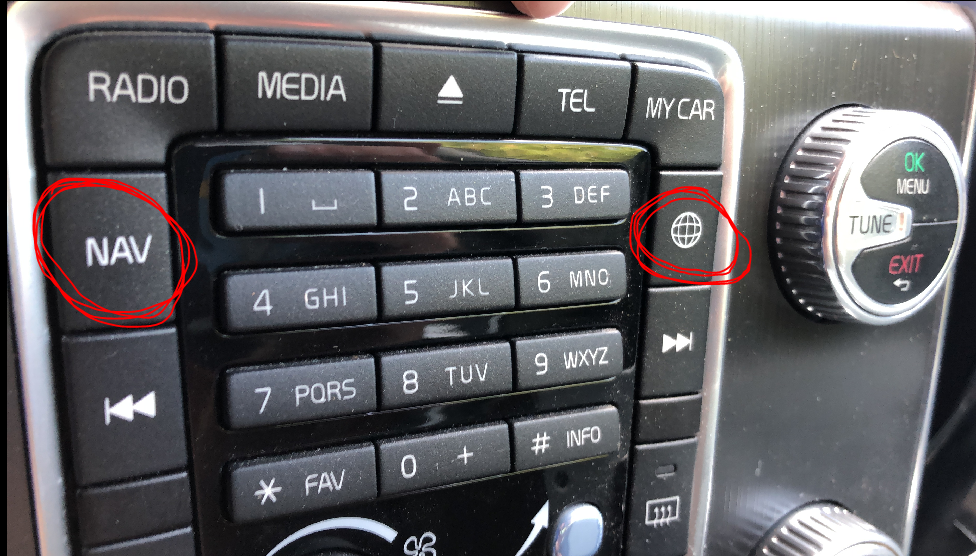
If Sensus Connect is installed in your vehicle and you see the navigation message after pressing the NAV button, or if the function appears in VDASH, it means that your vehicle has navigation map support for certain regions or countries, such as Europe or the USA. This allows you to activate navigation in your vehicle with lifetime free map updates.
What you may see in the car
If you can see this message:
Or have this button:
Activate navigation in VDASH
Then all you have to do is activate the navigation using this menu in VDASH:
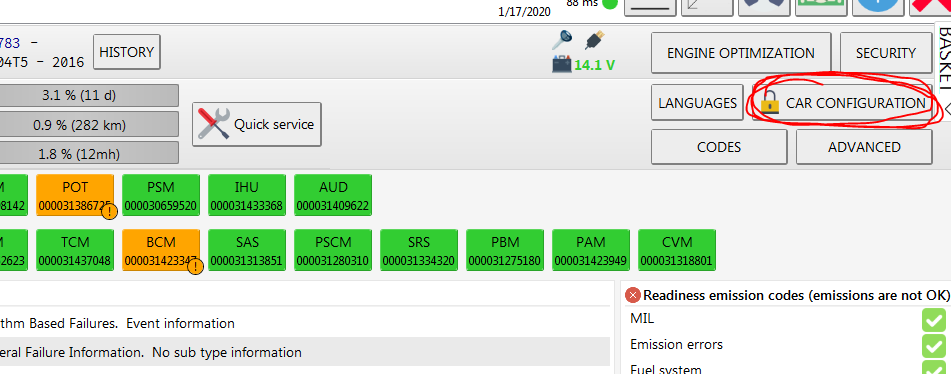
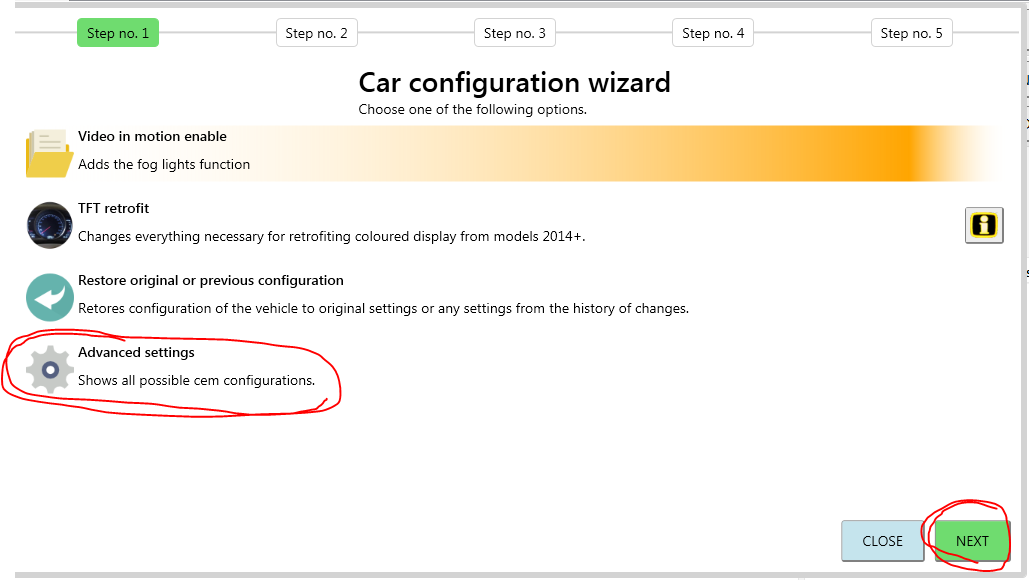
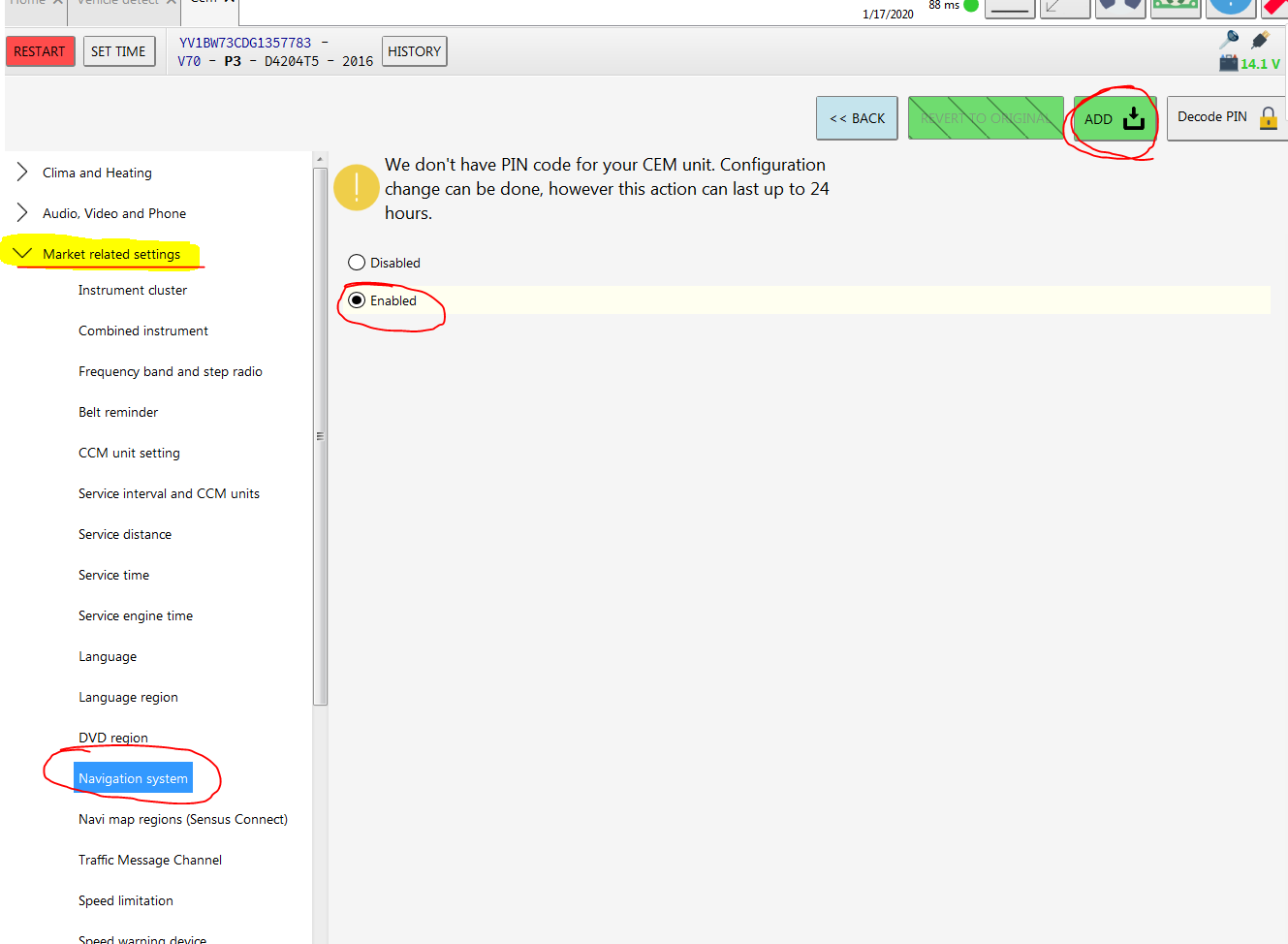
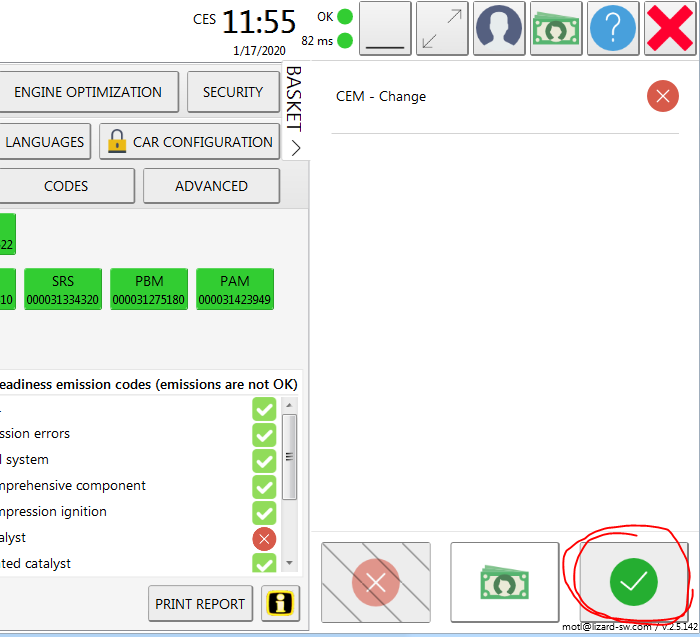
After you have activated the navigation, lock the vehicle for at least 5 minutes.
Region and map updates
Sometimes you also need to change the vehicle region so it accepts the new map data. This is shown and explained at the end of this article: https://d5t5.com/wiki/vdash/article-volvo-engineering-mode-change-region
Once that is done, you can download map updates from here: https://www.volvocars.com/uk/support/downloads/maps/mca